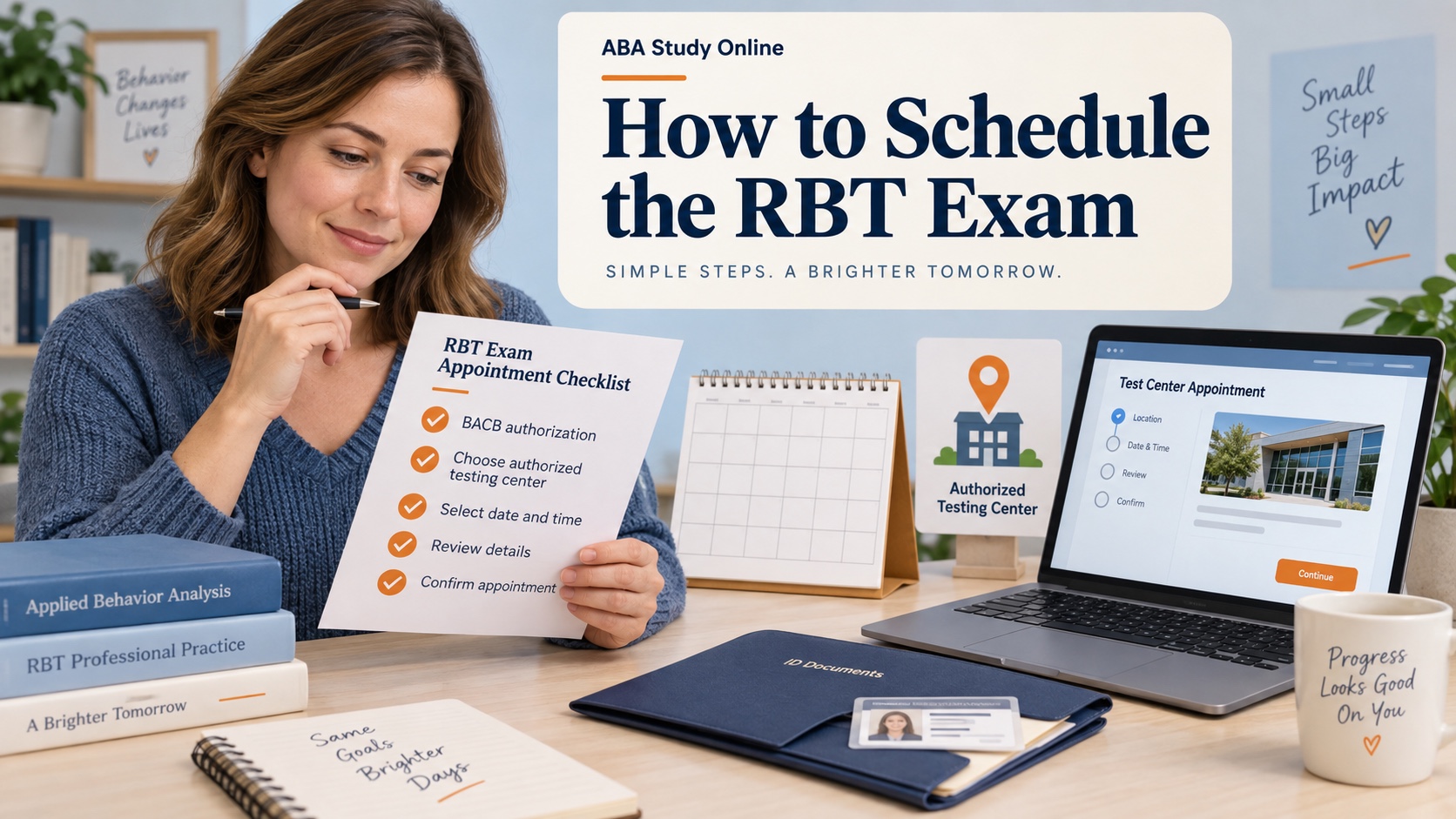
How to Schedule the RBT Exam: A Step-by-Step Guide
If you want to schedule the RBT exam, the key timing rule is simple: finish the applicable certification steps, submit your application, wait for the BACB authorization instructions, and then use Pearson VUE to choose an appointment. Pearson VUE is the scheduling system for the exam; the BACB does not choose your date or testing center for you.
The process feels easier when you separate three jobs: getting authorized, booking an appointment, and preparing for test day. This guide walks through those jobs using current BACB exam information and RBT resources. Requirements, testing locations, fees, and appointment availability can change, so confirm the live BACB pages and your Pearson VUE account before you pay or travel.
Table of Contents
Before you schedule
Do not open Pearson VUE and try to book simply because you have completed a 40-hour training course or a competency assessment. Those steps may be part of the RBT pathway, but the scheduling trigger is the BACB’s authorization and instructions for your application. Check your BACB portal and email for the status that tells you what to do next.
Also check that the name and identifying information on your certification record will match the identification you plan to bring. A mismatch can create a preventable problem at a secure testing center. If the BACB has asked for an action item or additional document, resolve that issue before treating the exam as ready to book.
The RBT exam content changed to the 3rd-edition outline beginning January 1, 2026. That matters for your preparation plan, but it does not mean that you should schedule before you are authorized. Use the current RBT resource hub and handbook for the pathway that applies to your application.
How to schedule the RBT exam
- Wait for authorization. Complete the applicable RBT certification application process and look for the BACB or Pearson VUE instructions connected with your approved status.
- Open the BACB Pearson VUE route. Start from the current RBT examination resource or the instructions in your account so you arrive at the correct Pearson VUE registration flow.
- Sign in or create the required account. Use the same identifying details you used for the certification process. Keep your confirmation messages in one folder.
- Search for a testing center. Enter a location you can reach reliably and compare available dates. Do not choose a center only because it is nearby; check the appointment time, travel plan, parking or transit, and any building restrictions.
- Select the date and time. Give yourself enough preparation time, but avoid choosing a date that conflicts with work, supervision, or a known travel commitment. The earliest available appointment is not automatically the best appointment.
- Review the fees and details. The current RBT Handbook describes a Pearson VUE appointment fee in addition to BACB application fees. Verify the amount shown in the live scheduling flow because fees and payment instructions can change.
- Submit the appointment. Read the location, date, time zone, name, and cancellation or rescheduling terms before confirming payment.
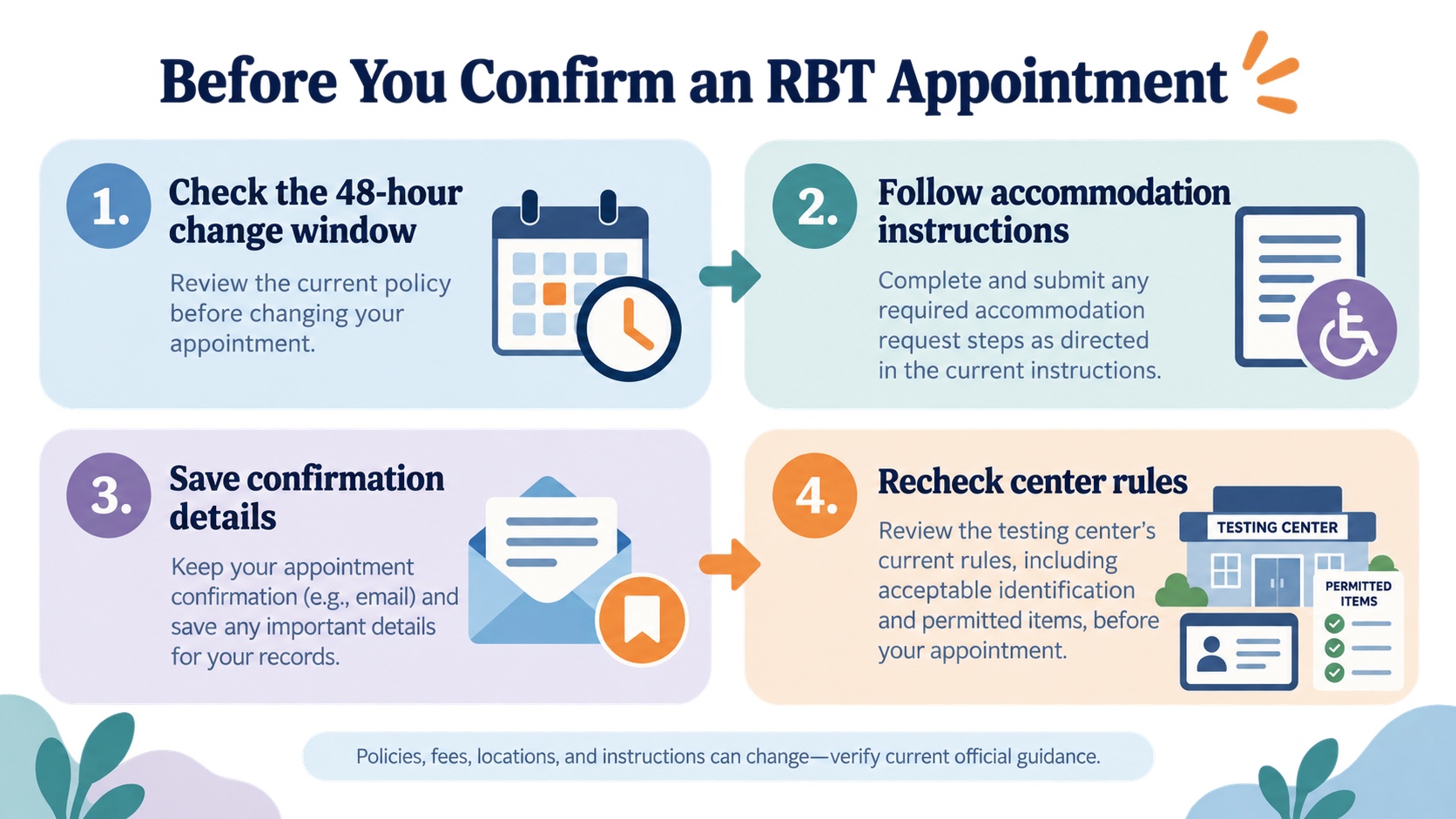
- Save the confirmation. Keep the confirmation email and appointment number. Add the address and arrival time to your calendar, then check the center details again shortly before test day.
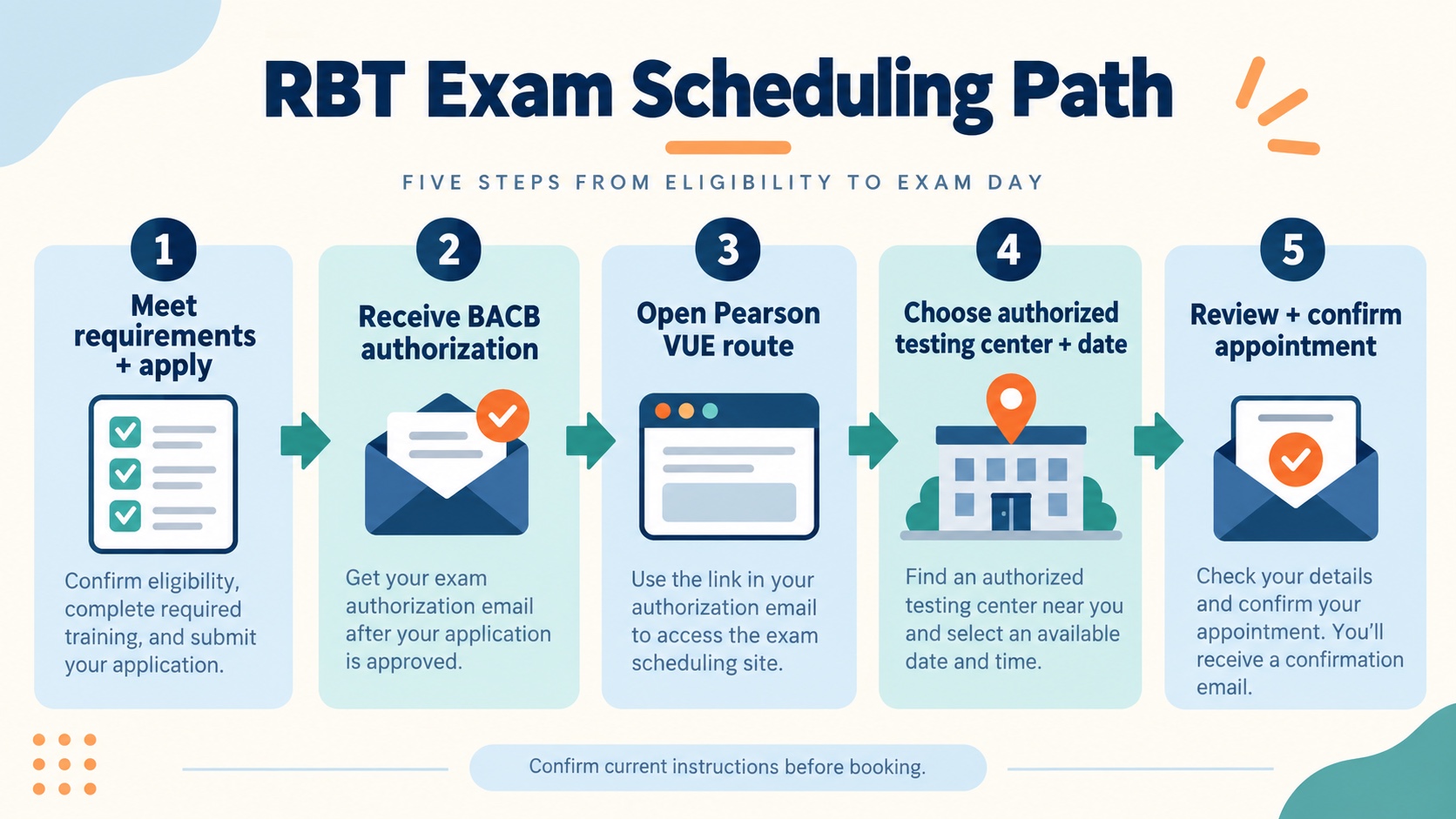
A practical way to avoid mistakes is to pause after each screen and compare it with your email. If the name, appointment type, or authorization information looks wrong, do not guess. Use the official BACB or Pearson VUE support route before finalizing the booking.
What the appointment covers
Current BACB examination information lists the RBT examination as a computer-based, in-person exam with 85 multiple-choice questions and 90 minutes of examination time. The current handbook explains that the exam includes scored and unscored items and that the total appointment experience includes required instructions and navigation steps. Treat the published format as a planning guide, not as permission to bring study materials into the room.
Pearson VUE testing centers have security rules. Plan to bring only what the current instructions allow, plus acceptable identification. Phones, notes, bags, watches, and other items may not be permitted in the testing room. The exact center instructions should control your preparation because the test center, not a study website, manages check-in.
If you do not see a suitable appointment, widen the location search before changing your certification plan. Another authorized center may have a better date, but availability is not guaranteed and a nearby center may fill quickly. Do not pay an unofficial service to “hold” a seat or treat a screenshot from someone else as proof that an appointment is yours. The confirmation in your own Pearson VUE account is the record to keep.
Build travel time around the appointment rather than around the examination minutes alone. Check the route at the same time of day, allow time for check-in, and plan for delays without arriving so late that you feel rushed. If you are traveling to another city, confirm the address and the appointment time zone. These small checks reduce the chance that a scheduling problem becomes a test-day problem. They also protect the time you set aside for focused preparation.
Rescheduling, cancellation, and accommodations
If you need to change an appointment, act early. BACB examination information currently says that a Pearson VUE appointment should be rescheduled at least 48 hours before the scheduled examination date. Missing that window can create a fee or appointment problem. Sign in to the Pearson VUE BACB examination route or contact Pearson VUE customer service using the current official instructions.
Accommodation requests follow a separate review path. Do not assume that an approved certification application automatically approves an accommodation or that you can schedule in the usual way while a request is being reviewed. Follow the BACB accommodation instructions and wait for the specific scheduling guidance connected with the decision.
If you need to retake the exam after an unsuccessful attempt, check the current RBT Handbook for the waiting period and authorization steps before choosing another date. The current handbook describes a seven-day wait after an unsuccessful attempt, but a live rule or account instruction should control your decision. Use the score information as a study signal, then review the full current content outline rather than studying only the tasks named in a report.
Keep the appointment change process separate from the study process. A reschedule does not replace a content review, and a new study plan does not automatically change an existing appointment. Record the new confirmation after any approved change and delete outdated calendar entries so the wrong date does not remain in your reminders.
Appointment checklist
- Your BACB application status shows the next scheduling step or authorization.
- Your legal name and identifying details match across the relevant accounts and identification.
- You selected an accessible testing center and a time you can reach reliably.
- You reviewed the fee and saved the appointment confirmation.
- You know the current rescheduling boundary and the correct support contact.
- You have checked any accommodation-specific instructions before confirming.
- You are studying the current RBT outline rather than an older task list.
What to do after booking
Once the appointment is on your calendar, build a study plan around the current RBT Test Content Outline. Use short retrieval sessions, scenario questions, and explanations of why an answer is correct. Free practice questions can give you an application step, while the ABA Study Online app can support repeated review. These resources are preparation aids, not BACB authorization or official exam content.
Set a final logistics check for the week before the exam: reread the confirmation, verify the route, review the center’s arrival instructions, and check the current BACB and Pearson VUE pages for changes. On the day before, stop trying to learn everything at once. A clear plan, valid identification, and an early arrival are more useful than a last-minute pile of notes.
FAQ and official resources
Can I schedule the RBT exam before BACB approval?
Do not assume you can. Follow the authorization and scheduling instructions connected with your BACB application. Pearson VUE booking is the appointment step after the applicable approval or authorization process.
Where do I schedule the RBT exam?
You schedule and pay through the Pearson VUE route for BACB examinations, using the current RBT examination instructions. The BACB does not select the date or center for you.
How soon can I reschedule?
Current BACB examination information says to reschedule at least 48 hours before the scheduled examination date. Check the live policy and your appointment terms before making a change.